



Samsung Galaxy S4 Back Camera Replacement

Send this link via e-mail
|
Tweet |
|
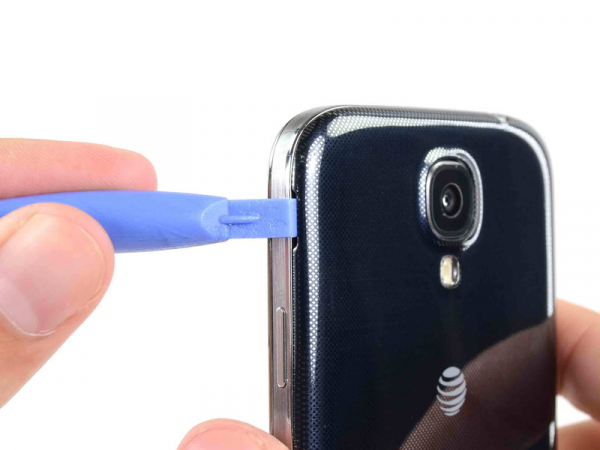


Step 1 - Back Case
Insert our opening tool in the recess to the left of the back-facing camera, in the area around power button.
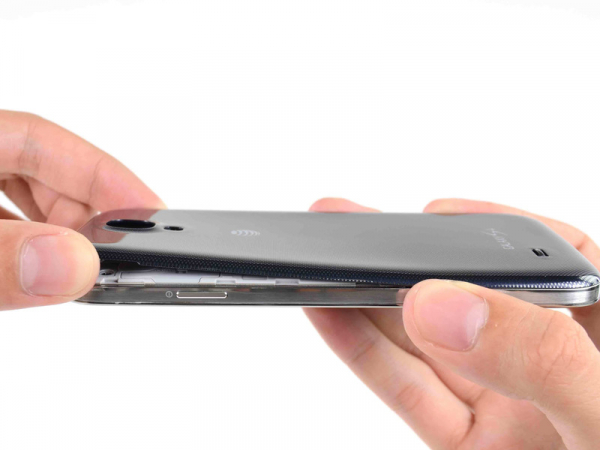


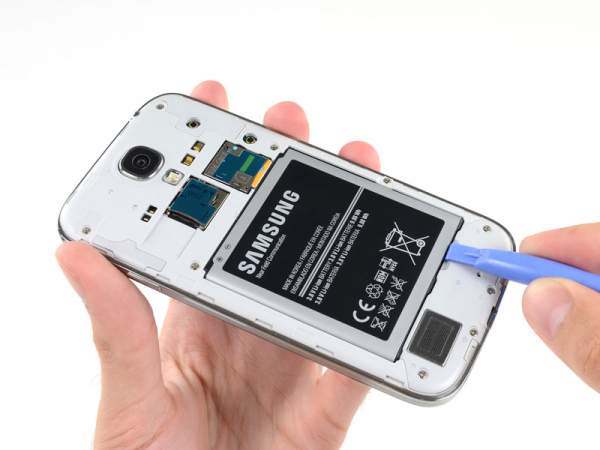


Step 3 - Battery
Back to top
Insert our opening tool into the notch of the battery compartment and lift the battery.
Remove the battery from your phone.
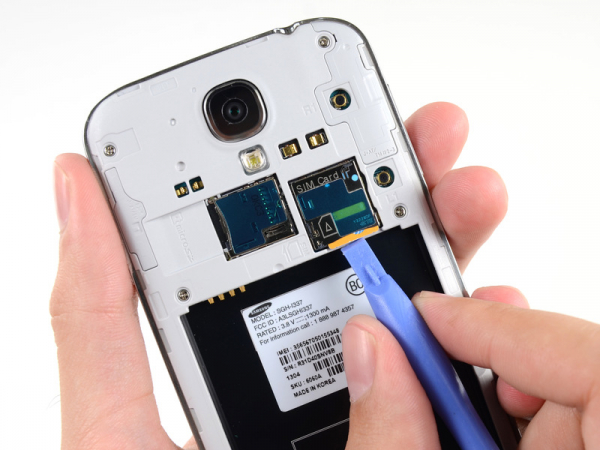


Step 4 - SIM Card
Back to top
To press the SIM card into its slot, use the flat part of our opening tool or a fingernail. Press it slightly deeper, until you hear the click sound.
Release the card after the click and it will pop out of its slot.
Remove the SIM card.
To reassemble, push the SIM card into the slot until it clicks in its place.
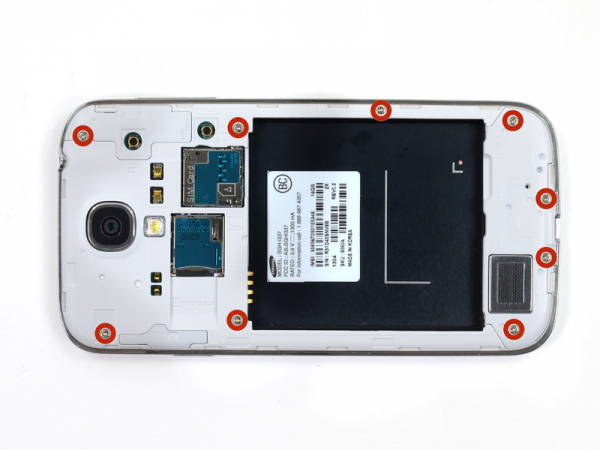
Step 5 - Midframe
Back to top
You should remove 4.0 mm Phillips #00 screws (9 pieces) that are securing the midframe to the display assembly.
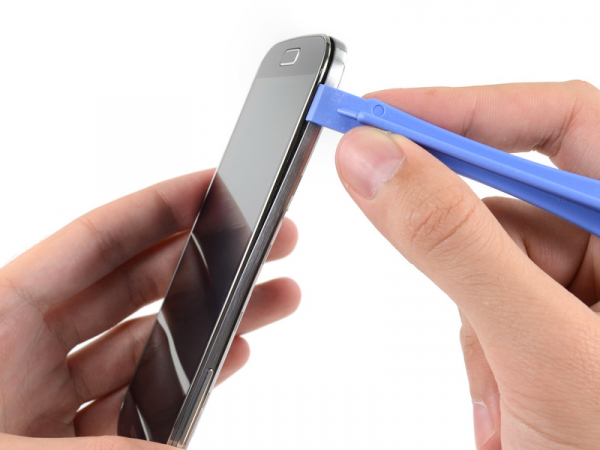


Step 6
Several plastic clips behind the bezel are securing the midframe to the display. Follow next few steps in order to separate the clips from the midframe.
Starting from the volume button side of the phone. Insert our plastic opening tool between the bezel and the back of the display glass.
Slide the opening tool along the seam to separate the plastic clips.
While prying the midframe be very careful to lift it only enough to separate the plastic clips. There are several delicate points on it that may crack.
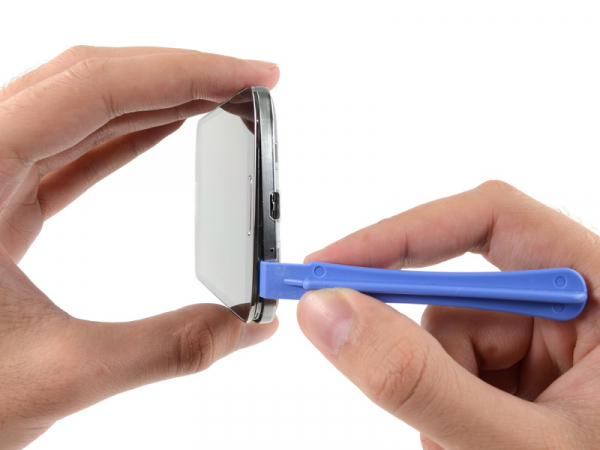


Step 7
Continue levering around the corner of the phone.
To release more plastic clips, slide the plastic opening tool along the seam between the display and midframe along the bottom of the phone.
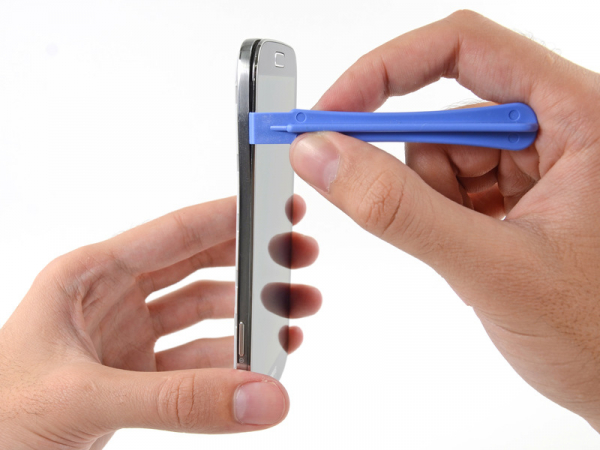


Step 8
Move to the power button side and once again pry around the corner.
Slide the opening tool along the seam in this area.
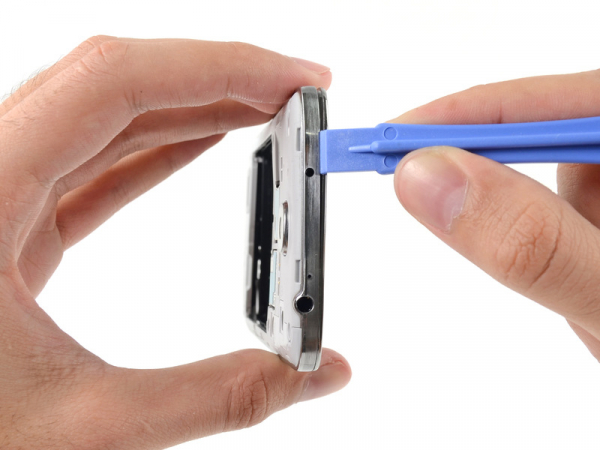


Step 9
Continue sliding the opening tool around the top of the phone, releasing the last of the clips and freeing the midframe from the display assembly.
At this point, you may want to run your plastic opening tool along the entire perimeter of the device again, to make sure you've released all of the plastic clips.
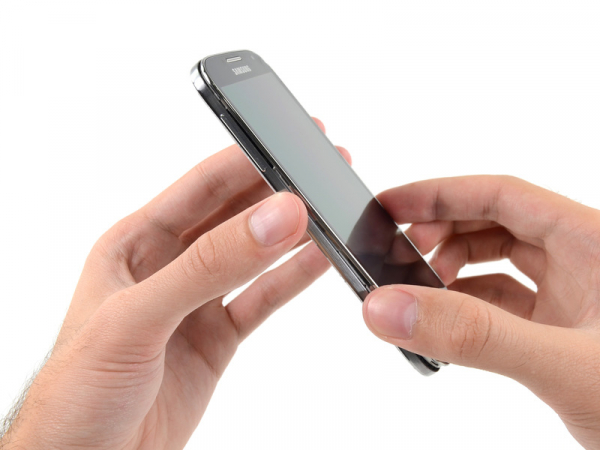


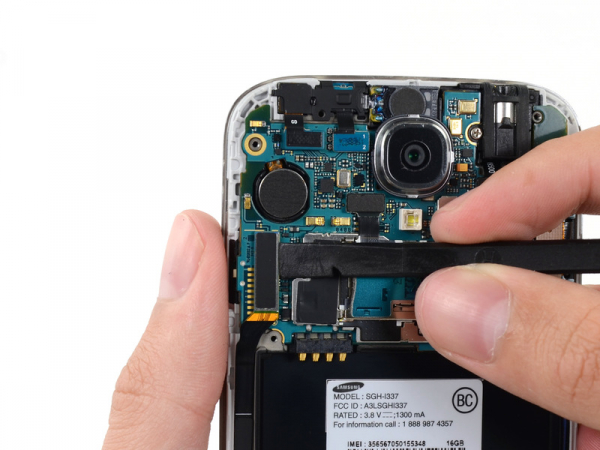


Step 11 - Motherboard Assembly
Back to top
To disconnect the USB board connector, use the flat end of our opening tool.
Disconnect the cable connector of front-facing camera.
Disconnect the cable connector of earpiece speaker assembly.
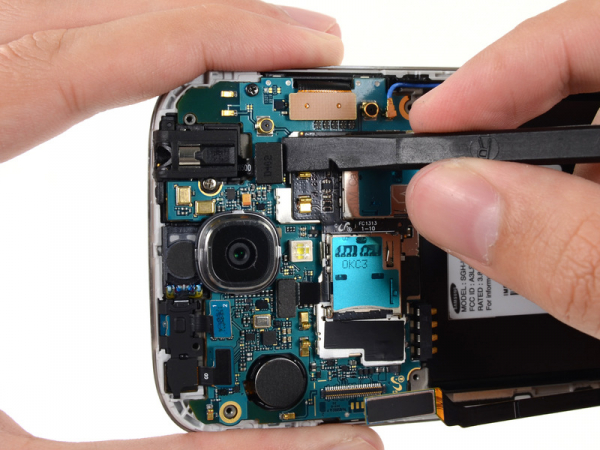


Step 12
Disconnect the cable connector of headphone jack assembly.
Disconnect the cable connector of display/digitizer.
Disconnect the cable connector of antenna.


Step 14
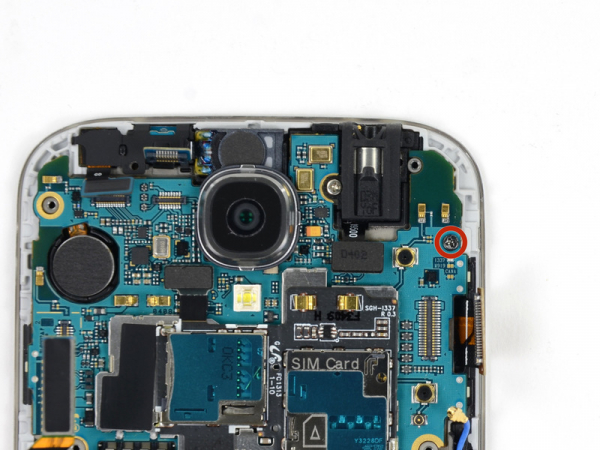
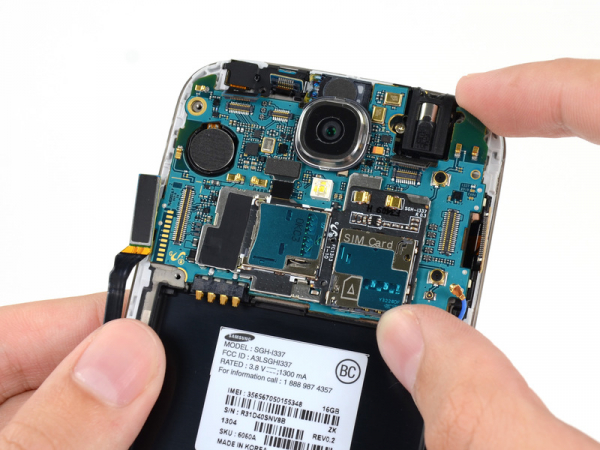
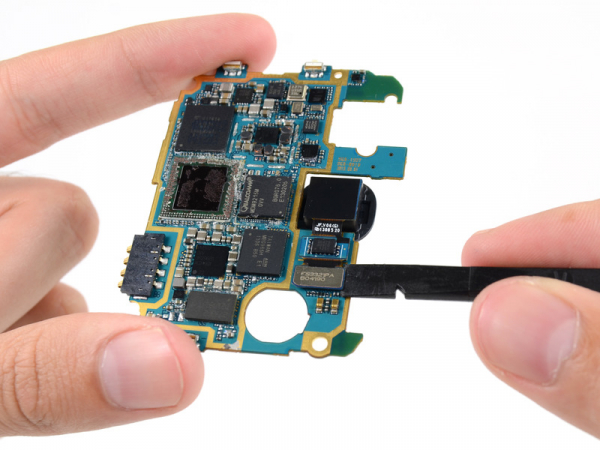
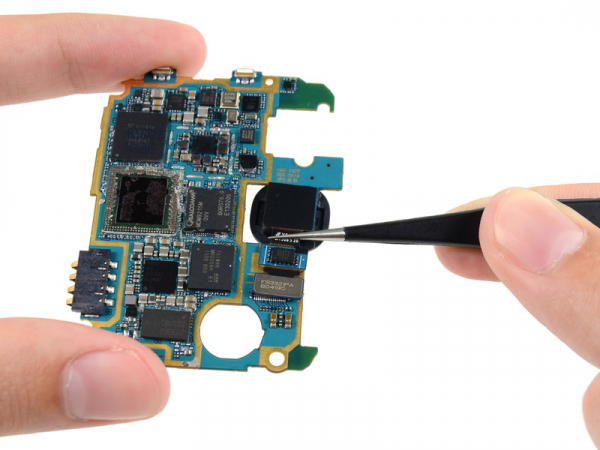
Carefully remove the motherboard.
To prevent ESD damage, you should hold the motherboard by the edges. Pay attention not to damage any cables as you extract it from the display assembly.


Comments:
05.09.2014.
